
Creating a Menu Link for the Cookies Manager Modal
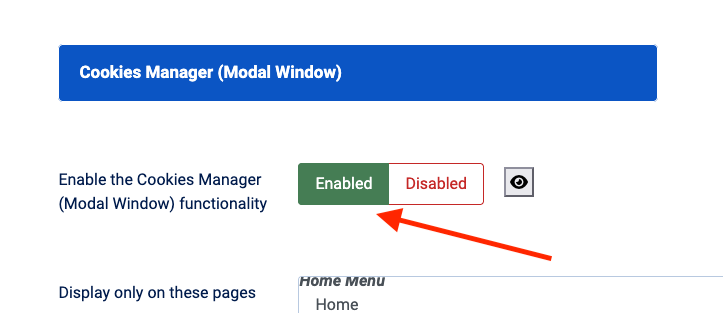
Prerequisite: Before creating the menu entry, you must enable the functionality in the plugin settings. Go to the Advanced Settings tab and ensure "Enable the Cookies Manager (Modal Window) functionality" is checked.
Step 1: Create a New Menu Item
- Navigate to Menus in the Joomla Administration sidebar.
- Select the menu where you want the link to appear (e.g., Home Menu).
- Click the New button in the toolbar.

Step 2: Configure the Menu Item
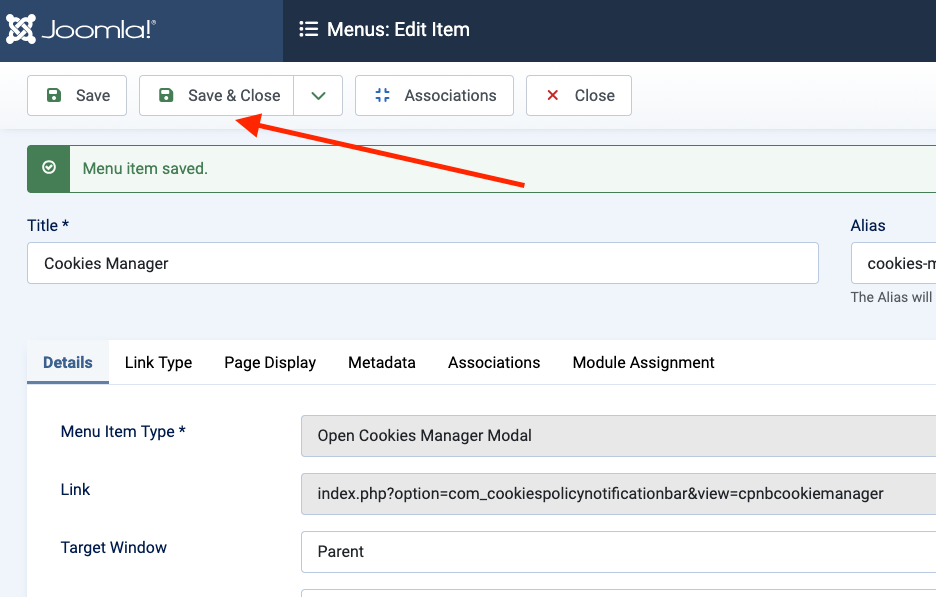
- Title: Enter the name you want users to see (e.g., "Cookies Manager" or "Privacy Preferences").
- Menu Item Type: Click the Select button.
- In the popup window, look for the Cookies Policy Notification Bar section.
- Select Open Cookies Manager Modal.
- Click Save & Close.


 Enjoy the Result!
 Enjoy the Result!
That's it! Visit your website's frontend. You should now see a new menu link that, when clicked, opens the Cookies Manager Modal for your visitors.

